Endpoint Backup Coverage for Remote Workforces
Scattered workforces demand backup strategies that reach beyond VPN-connected devices.
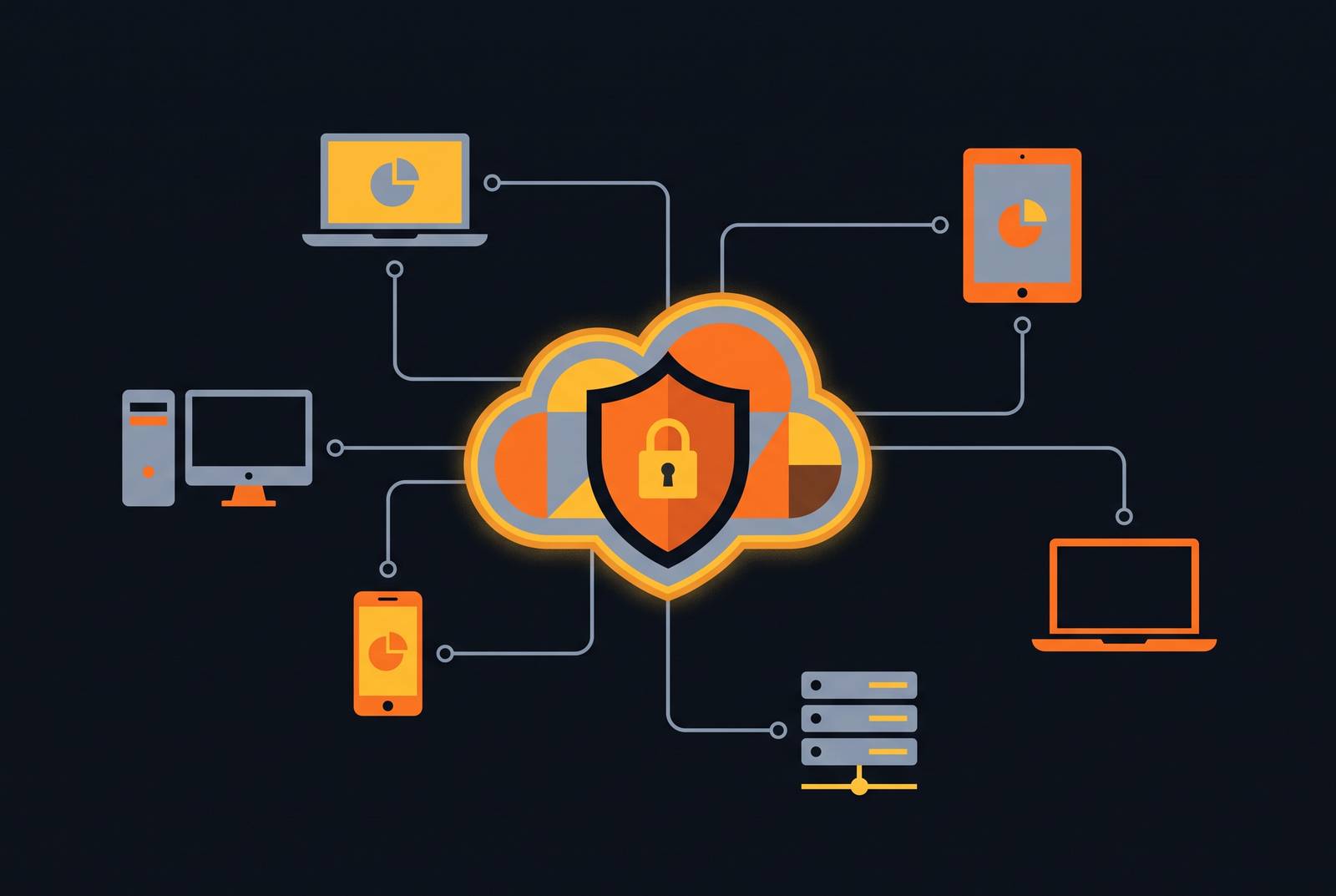
Remote work has permanently rearranged where corporate data lives, and endpoint backup has gone from a nice-to-have checkbox to a strategy that has to account for home networks, personal phones, and laptops that might not touch a VPN for weeks. This isn't a temporary condition IT can wait out. The national telework rate has held between 17.9% and 23.8% since late 2022, a range that signals stabilization, not decline, and only 30% of companies plan to eliminate remote work entirely by 2026. Sixteen percent of companies now operate with no physical office at all, which means their entire data estate sits on endpoints IT never built a backup strategy for. The question this raises is simple: what does it actually take to protect data on a workforce that's scattered, and mostly staying that way?
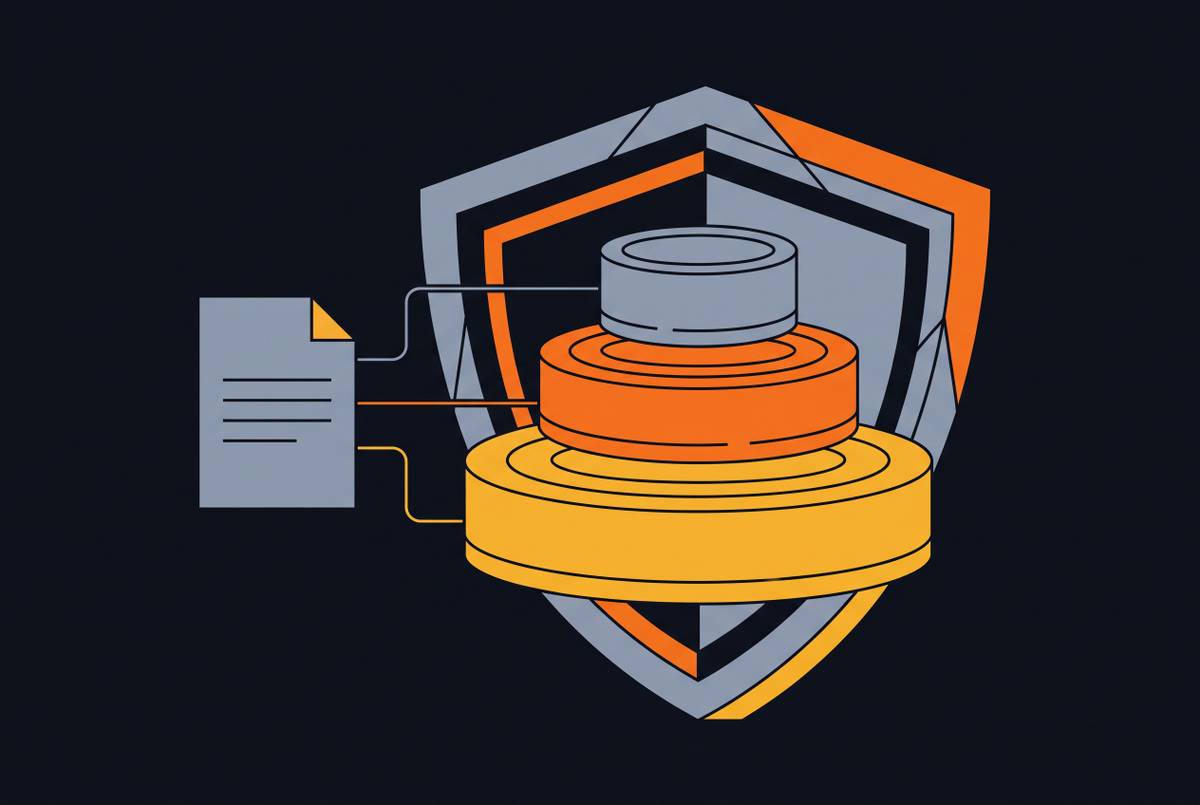
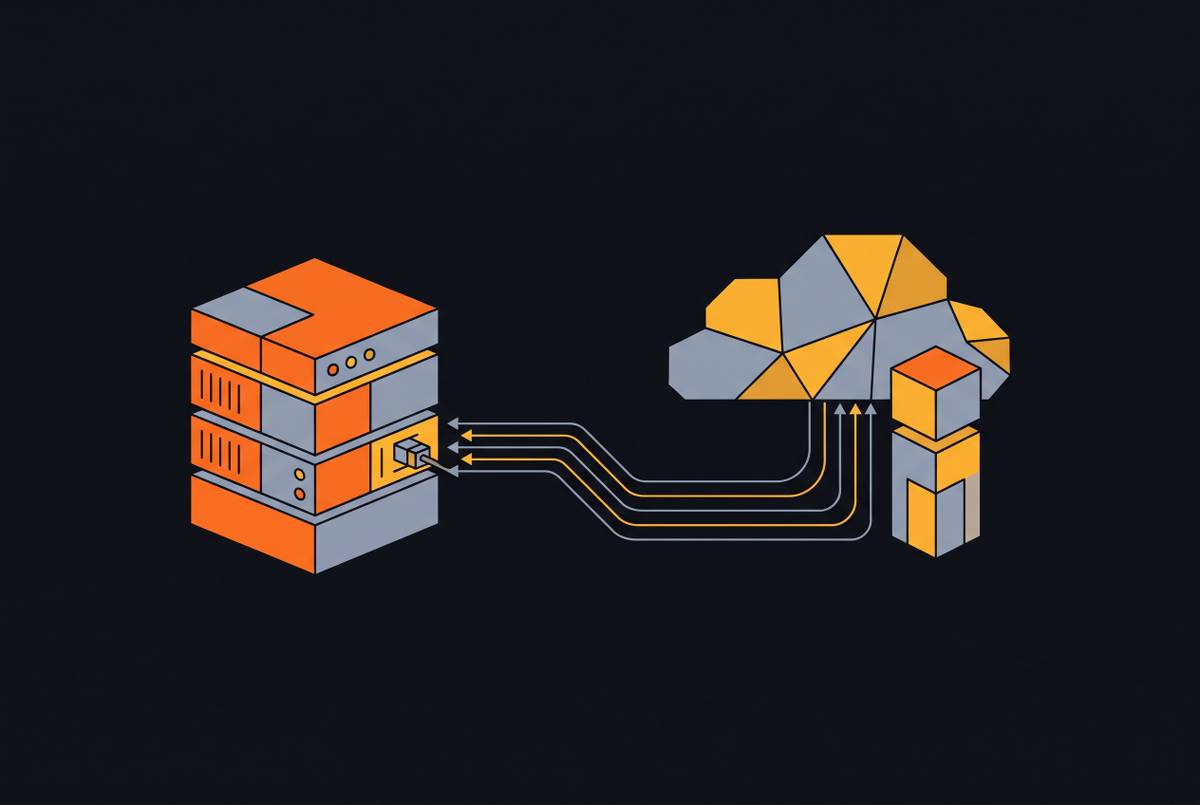
Endpoint backup, at its core, is the automated, policy-driven capture of data sitting on individual devices: laptops, desktops, tablets, phones, no matter where those devices physically are. That's the entirety of the job. It covers local files, application data, operating system state, and configuration settings stored on the device itself. It also covers the gap that cloud sync tools miss: data created or changed between sync events, and devices that are offline, on a spotty connection, or outside VPN coverage when a backup job is supposed to run.
What it doesn't cover matters just as much, and this is where most people get the picture backwards. Endpoint backup says nothing about SaaS data sitting in Microsoft 365, Google Workspace, or Salesforce, a separate and sizable exposure on its own; most SaaS data loss traces back to malicious deletion, not a system failure, and no endpoint agent is watching for that. It also doesn't cover personal or unmanaged devices unless a backup agent gets installed on them directly, and it doesn't cover a network-attached drive or server sitting in someone's home office unless that gear is explicitly brought into scope.
Here's the mistake that costs companies the most, and it's avoidable: treating cloud sync, OneDrive, Dropbox, iCloud, as if it were backup. It isn't, full stop, and the difference isn't academic. Sync tools mirror changes in real time, which means they mirror deletions and ransomware encryption just as faithfully as they mirror a saved document. If a file gets encrypted on the laptop, sync pushes that encrypted version to the cloud within seconds. That's not protection. That's propagation, and confusing the two is the single most common mistake in this entire discipline.
Before any of this gets fixed, someone has to know what's actually out there: every device type, every ownership model, every laptop and tablet touching company data. In a remote environment, that enumeration turns out to be a lot harder than it sounds.
The threat environment that makes coverage gaps dangerous
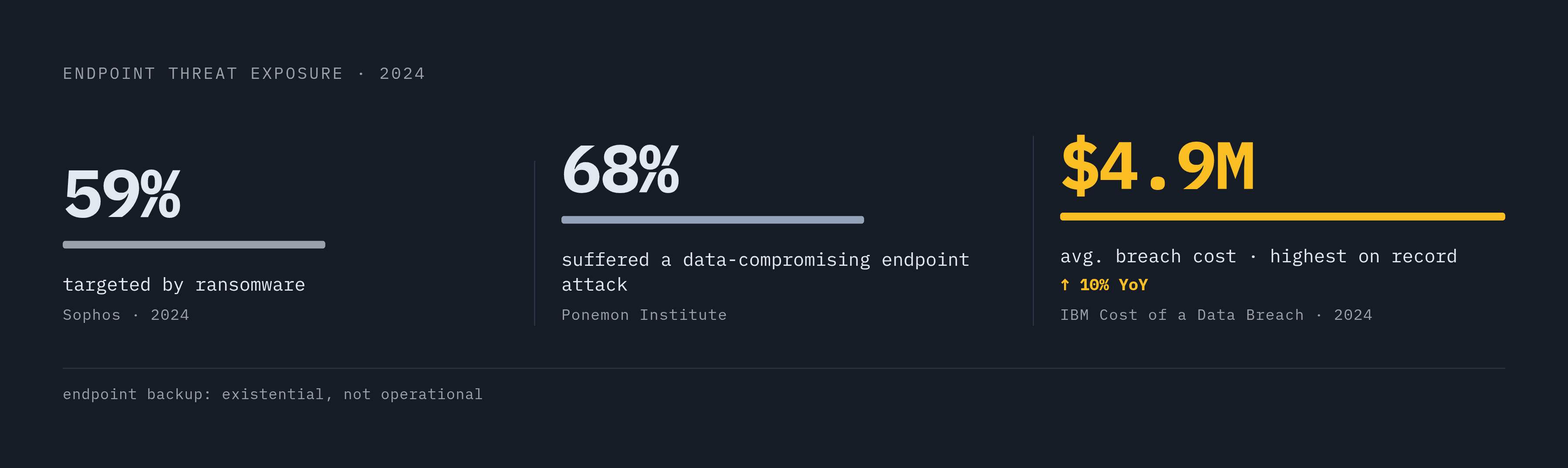
Endpoints aren't a side door into corporate networks anymore. They're the front one. Most successful cyberattacks and data breaches start at endpoint devices, and the Ponemon Institute found that 68% of organizations have had at least one endpoint attack that successfully compromised data or infrastructure.
Ransomware is the threat that turns backup from a convenience into the last line of defense. In 2024, 59% of organizations worldwide were targeted by a ransomware attack, and endpoint-targeted attacks made up a large share of all recorded incidents. The trajectory isn't flattening either: attack volume is on pace to keep climbing well past 2024 levels. IBM found the global average cost of a data breach reached $4.9 million in 2024, a 10% jump over the year before and the highest figure on record.
The smaller-organization numbers are the ones that should actually change behavior. Organizations that suffer prolonged data loss, ten days or more, overwhelmingly go bankrupt within the following year. That single fact reframes what backup is for. It isn't a compliance checkbox or an insurance formality; it's the mechanism that decides whether a ransomware event turns into a bad week or the end of the company. Remote work makes that exposure worse, not incidental to it, because the device sitting furthest from IT's line of sight is usually the one carrying the most unprotected data.
How remote and hybrid work conditions create endpoint backup failures that don't exist in office environments
Connectivity is the first failure point, and it fails silently, which is what makes it dangerous. Backup agents built around continuous or high-bandwidth connections choke on home broadband, hotel Wi-Fi, or a mobile hotspot tethered from someone's phone. A device can go days, even weeks, without completing a single backup, and nobody notices, because the failure doesn't throw an alarm. It just doesn't happen. Nobody gets paged for a backup job that silently skipped its window three times in a row.
Device sprawl compounds the problem. Most organizations now let employees or contractors work on personal devices, and a large share of them admit they don't have full visibility into every endpoint touching their network. More than half of security professionals surveyed said over a fifth of their total endpoints were unmanaged. On the phone side, many remote employees use a personal smartphone or tablet for work tasks, and a meaningful share of those workers have saved a work file directly onto that device, a file that now sits entirely outside any backup policy, unrecoverable if the phone gets lost, stolen, or wiped.
Patching adds another layer of risk. Across managed endpoints more broadly, unmanaged updates are a persistent problem, leaving devices both easier to compromise and harder to recover once the backup agent itself is running outdated code. The BYOD cost math rarely works out the way finance teams expect, either: organizations assume letting people use their own laptops and phones cuts hardware spend, but the resulting security gaps and management overhead can offset those savings in ways that aren't always visible upfront.
Home networks widen the attack surface further. Consumer routers, shared household devices, and consumer-grade security create entry points a corporate firewall never has to deal with. Phishing that succeeds on a home network and leads to credential theft or ransomware puts the entire outcome in the hands of whether backup held up, since there's no perimeter defense standing behind it the way there would be in an office.
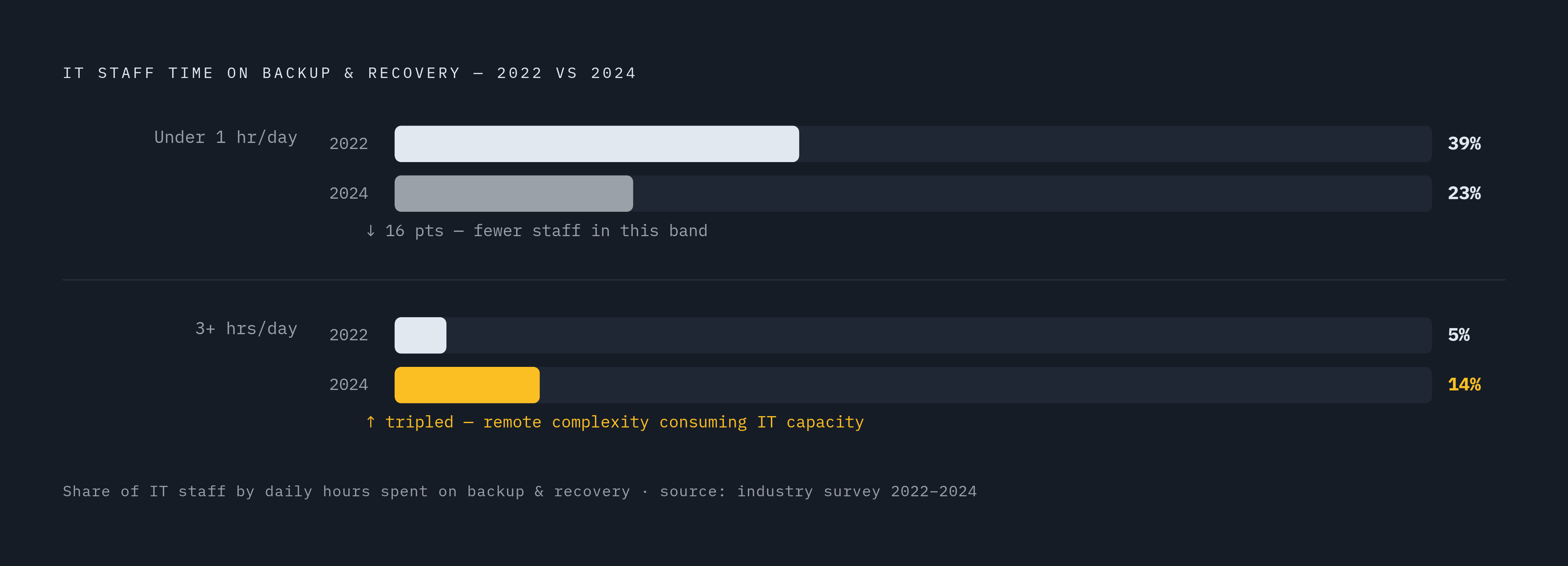
IT teams are feeling the strain in hours spent, not just incidents logged. The share of IT staff spending under an hour a day on backup and recovery dropped from 39% in 2022 to 23% in 2024, while the share spending three or more hours daily climbed from 5% to 14%. That's remote complexity eating into time that used to go somewhere else. Endpoint isolation, separating business apps and data from the personal side of a shared device, has emerged as a recognized structural response to exactly this problem.
The core requirements any remote endpoint backup strategy must satisfy
Backup has to run on the device itself, not depend on that device being reachable from a central server. That's the baseline for anything that spends most of its life off the corporate network. From there, the agent needs to be bandwidth-aware: throttling, deduplication, and delta-only transfers, so a backup job doesn't choke someone's home connection, plus the ability to resume a job that got interrupted instead of starting over from scratch every time Wi-Fi drops.
Delivery has to be cloud-native. On-premises backup infrastructure can't reach a device that never comes into an office, full stop.
Coverage for personal and BYOD devices needs a deliberate answer, not an assumption. That might mean a lightweight, user-installable agent for personal hardware, or an endpoint isolation approach that carves out a managed workspace on the device and backs up only that slice. Either way, policy has to spell out whether personal-device backup is mandatory, optional, or limited to devices that are formally enrolled. Leaving that decision unspoken is how personal devices end up holding company data nobody can recover.
Encryption in transit and at rest is a standard feature, not a premium tier. It's table stakes, since remote backups travel across public networks and land in cloud storage by default. IT also needs one dashboard, not three, showing backup status, last-successful-backup timestamps, and failure alerts across every endpoint, no matter where it sits. Silent failures, where the agent is installed but the backup quietly stops completing, are the most common gap and the most dangerous one, because nothing about them looks broken from the outside.
Recovery matters as much as the backup itself. File-level, folder-level, and full-device recovery options all need to exist, and recovery time has to account for the fact that a remote employee can't just hand a laptop to the help desk: recovery needs to be self-service or remote-initiated. Compliance frameworks like HIPAA and GDPR require demonstrable data protection, so retention policies need to be configurable to specific requirements rather than defaulting to whatever the vendor ships out of the box. Commvault's November 2025 reporting on market direction found that a majority of enterprise deployments increasingly treat orchestrated, verified recovery as a priority, meaning automated proof that a backup actually restored, not just that it ran, is becoming the expected standard rather than a nice extra.
Vendor landscape: what the major endpoint backup platforms offer remote-workforce deployments
The endpoint backup software market sits somewhere in the mid-single-digit billions as of 2024 to 2025, with steady double-digit growth projected out toward 2033 to 2034. North America leads global revenue, driven by NIST Cybersecurity Framework adoption, cloud-first IT strategies, and dense compliance requirements. The specific market-size figure matters less than the direction: this is a growing category, not a mature one coasting on maintenance contracts.
Acronis, as of June 2025, has pushed a combined data-protection and security approach, pairing automated monitoring and threat detection with backup in a single agent, a useful fit for remote teams that want one tool doing both jobs. Commvault, as of November 2025, has leaned into recovery readiness and isolated restoration with automated validation, which suits enterprises that care about proving recovery works, not just that backup ran.
Druva runs cloud-native from the ground up, with no on-premises infrastructure required, which fits distributed endpoints well, though evaluators should check how it handles BYOD and mobile coverage specifically. Backblaze is worth evaluating against specific retention requirements before assuming it covers compliance needs out of the box. Veeam is a well-known name in enterprise recovery, and organizations running fully remote should confirm its delivery options actually match that model before signing anything.
Kaseya and N-able both lean toward the managed service provider world, relevant for organizations that outsource IT, common among smaller companies with distributed teams, and both are worth weighing against whatever remote monitoring and management tooling is already in place. Veritas targets enterprise deployments and is worth evaluating for complex, mixed device fleets. CrashPlan markets remote workforce data loss specifically as a use case alongside ransomware recovery and compliance, and performance in real deployment conditions is worth testing directly rather than taking on faith. Arcserve, IBM, OpenText, Quest Software, Vembu, EaseUS, and Asigra round out the rest of the named field, and each deserves the same three questions: does the agent work without a VPN connection, does it handle a spotty connection gracefully, and what happens when the user can't hand over the physical device for recovery.
Vendor roadmaps for 2025 and 2026 are being shaped by escalating threats, regulatory pressure from GDPR, CCPA, and HIPAA, and a push toward AI-driven automation and predictive analytics. Buyers evaluating any of these platforms should ask, directly, how that roadmap addresses remote endpoints specifically, not endpoints in general, since most vendor marketing doesn't bother to make the distinction.
Building the coverage map: how to audit what your remote workforce actually has protected
Start with an inventory. This is the step most organizations skip entirely, usually because they assume mobile device management already covers it. Corporate-owned managed devices should be the easy part: confirm the backup agent is installed, active, and actually completing jobs, not just present. Corporate-owned devices that somehow fell outside mobile device management do occur, and they need the same scrutiny as anything else. Personal devices used for work are the hardest category to pin down; surveying employees directly and cross-referencing against application access logs and single sign-on data is the only reliable way to find them. Contractor and vendor devices sit outside IT's normal reach almost by definition, so the audit needs to ask specifically what work data those devices touch and store.
From there, look at how different roles create data. Which employees generate locally stored files that never sync automatically to the cloud? Which ones use offline-capable tools, design software, video editing, local databases, where data piles up between sync events without anyone noticing?
Finally, measure backup health, not just backup coverage. An agent showing as installed is not the same thing as a protected device; pull last-successful-backup timestamps across every enrolled machine and look for chronic failures. A device that hasn't completed a backup within a reasonable interval for a remote context should trigger a review, not get filed away for the next audit cycle. Track completion rates over time, too: a rate that's slowly declining warrants investigation into potential connectivity, agent, or storage issues, and it shows up well before it turns into an actual incident.