3-2-1 Backup Rule for MSP Client Environments
Ransomware now hunts backups first, making the classic 3-2-1 rule dangerously incomplete.
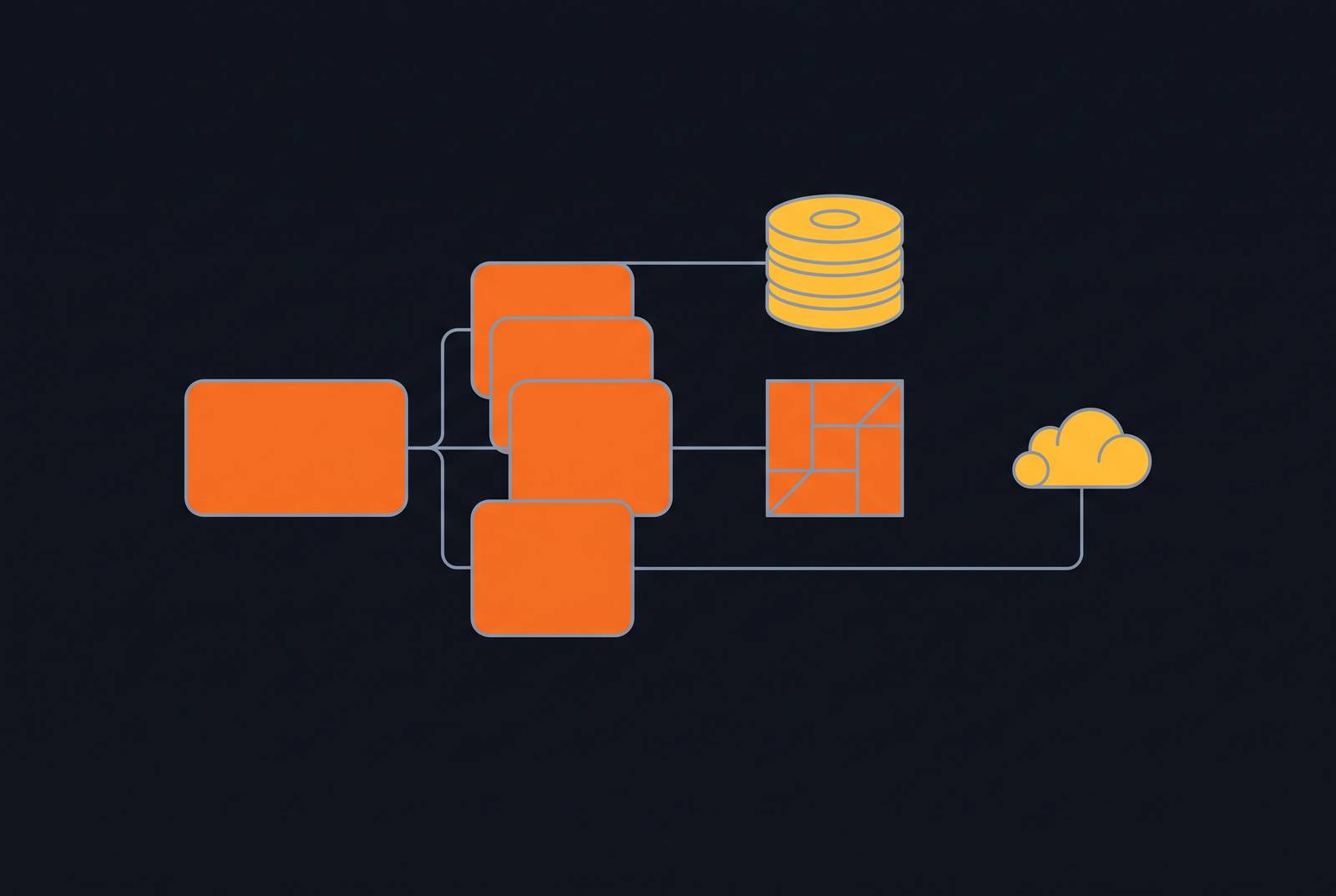
Peter Krogh coined the 3-2-1 backup rule in a book about digital asset management, of all places, and it's outlasted every piece of hardware that existed when he wrote it. Keep three copies of data, on two different types of media, with one copy stored somewhere else entirely. That simplicity is why the rule still works, and why MSPs mess it up at scale in ways a single company never would.
Why MSPs carry a structurally different version of this problem than a single organization does
A single business runs one environment: one set of servers, one cloud stack (maybe two, if someone got ambitious), one compliance regime to track. An MSP runs that same math across dozens or hundreds of client environments at once, and no two of them look alike.
That difference shows up in three places a standalone IT department never has to think about. Infrastructure varies wildly: one client runs Windows Server on-prem with a Synology NAS sitting in a closet, another lives fully in Azure, a third has some hybrid setup nobody bothered to document. A uniform backup policy breaks the moment it meets that kind of variety. Compliance stacks unevenly on top: an MSP might serve a dental practice under HIPAA, a retailer under PCI-DSS, and a SaaS startup chasing SOC 2, all in the same week, each with different retention rules and audit expectations. Accountability also shifts entirely. When backup fails at a company with its own IT staff, that staff runs the postmortem. When it fails at an MSP's client, the MSP owns it, full stop, because the client hired the MSP specifically so they wouldn't have to think about any of this.
Most MSPs treat 3-2-1 as a technical checklist to apply once per client and forget. That's the bigger risk: it's a portfolio-management problem first, and a backup architecture problem second. Roughly 31% of organizations still don't follow the 3-2-1 rule in full, and for one company, that's a bad habit that catches up with them eventually. For an MSP managing forty accounts, that percentage isn't a statistic sitting in a report somewhere, it's a liability wired directly into a stack of signed contracts.
The threat environment that makes 3-2-1 compliance genuinely urgent right now
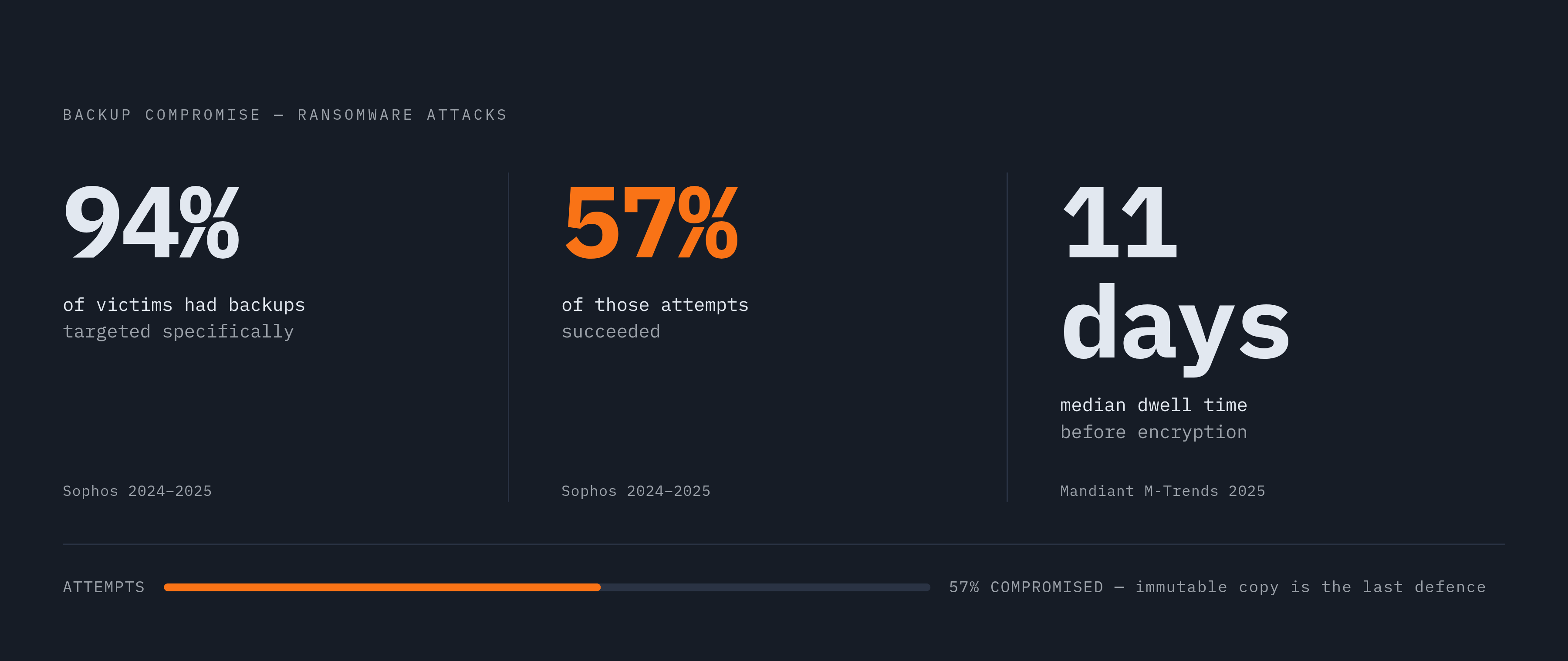
Sophos research from 2024 and 2025 found that 94% of ransomware victims had attackers attempt to compromise their backups specifically, and 57% of those attempts succeeded. That finding should reframe how anyone thinks about backups: they carry real weight as a primary target now, and treating them as an afterthought is the single most common mistake buried in this whole discussion.
Ransomware operators read the same playbooks defenders do, and once you look at this from the attacker's side, the logic is obvious. Modern ransomware strains hunt for connected backup targets, cloud repositories, and backup server credentials before they ever trigger the encryption payload on production data. Attackers know the 3-2-1 rule as well as any MSP does, and they go after the offsite copy first, because that's the copy that's supposed to save everyone.
Mandiant's 2025 M-Trends report put median ransomware dwell time at 11 days, meaning attackers typically sit inside a network for close to two weeks before anyone notices. Eleven days is plenty of time to map an entire backup chain and quietly corrupt it before triggering anything visible. Object First's 2026 World Backup Day survey found 79% of IT leaders now name attacker access to backups as their top concern, ahead of ransomware itself as a category. A 3-2-1 setup that looks compliant on paper, three copies, two media, one offsite, can still leave a client fully exposed if none of those copies accounts for an attacker who already holds admin credentials.
How the 3-2-1-1-0 framework closes the gaps that modern ransomware exploits
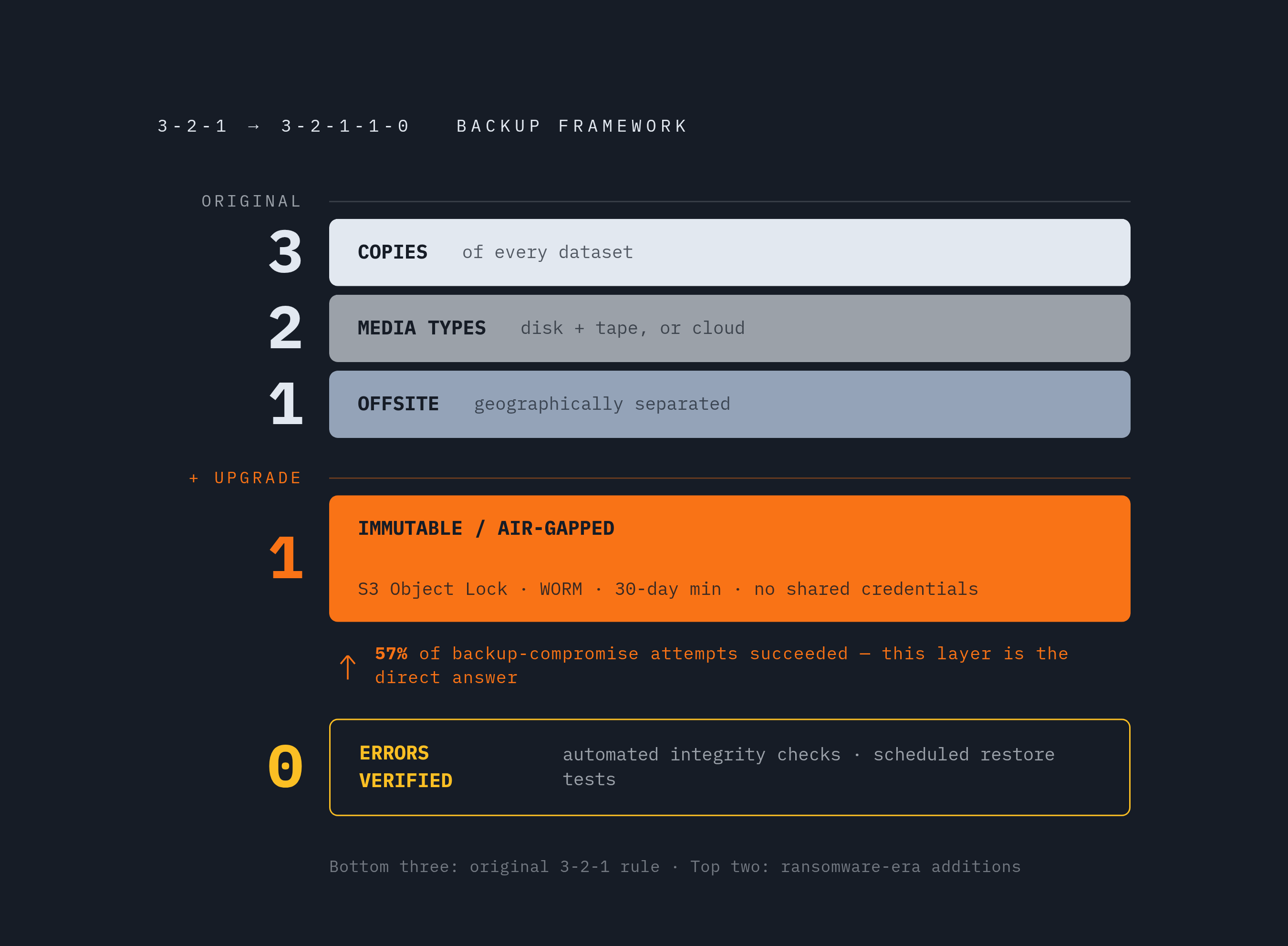
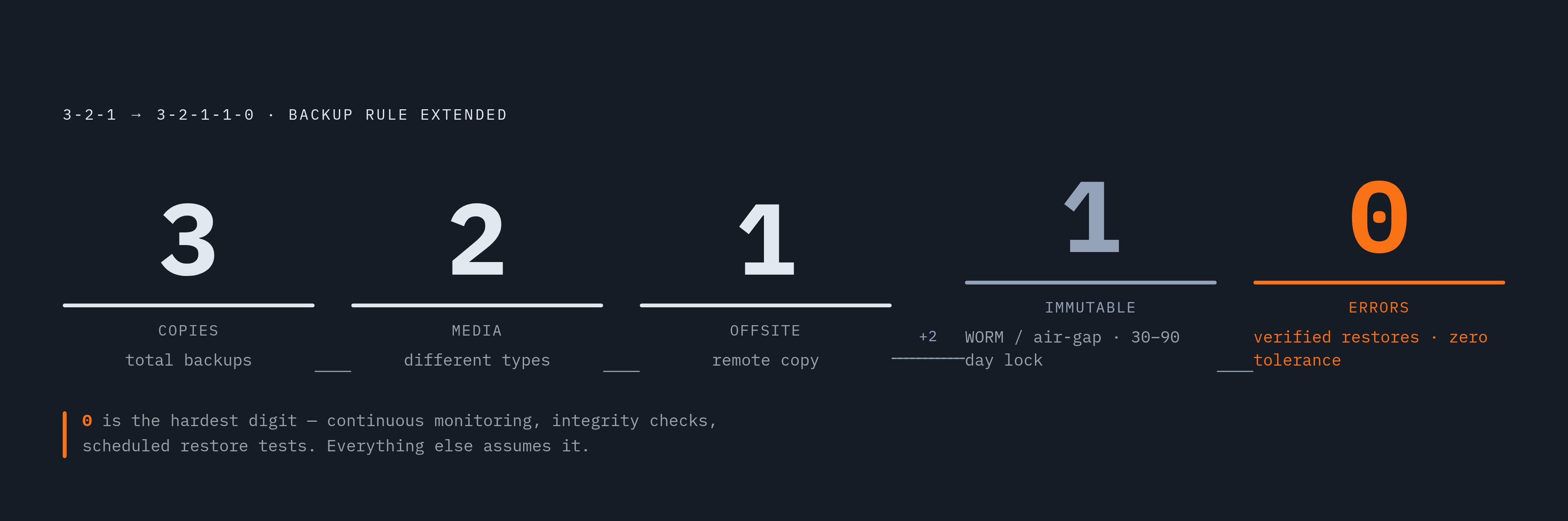
3-2-1-1-0 builds on the original rule rather than replacing it. It bolts two fixes onto it, each aimed at a specific hole ransomware groups learned to exploit, and skipping either one defeats the point of upgrading at all.
The extra "1" is an immutable or air-gapped copy. Immutable means the data can't be altered, overwritten, or deleted for a set period, not even by someone holding valid administrator credentials; AWS S3 Object Lock and Azure Blob immutable storage with WORM (write once, read many) protection are the common ways to build this. Air-gapped means physical or logical isolation from the network entirely, so there's no live path for an attacker to cross even after they've stolen every other credential in the environment. Given an 11-day median dwell time, a 30-day retention window on at least one immutable copy is a reasonable floor, and ninety days buys more breathing room. Most teams find that erring toward the longer window is the safer call.
The "0" is a discipline rather than a technology: zero errors, verified through continuous monitoring, automated integrity checks, and actual restore testing on a fixed schedule. An untested backup is a theory, and the "0" is what turns that theory into something checked on a calendar instead of assumed fine until the day it isn't.
Two other variants come up for MSPs handling tougher requirements. 3-2-2 keeps two offsite copies in separate cloud environments or geographically distinct data centers, cutting reliance on any single offsite location. 4-3-2 goes further: four copies across three locations, two of them offsite, usually reserved for regulated workloads where a single offsite copy won't clear the compliance bar. Which variant fits depends on the client's regulatory situation and their recovery targets, not on whatever the MSP happens to already have configured. Treating one upgrade path as the default for every client in a mixed portfolio is where implementations start to wobble.
Where MSPs actually break down when implementing 3-2-1 at scale
The most underrated failure mode doesn't look like a failure at all. Call it the "no result" backup: the job doesn't error out, it just doesn't finish, and no alert fires because there's technically nothing to flag. Monitoring tools built around explicit error codes miss this completely, and nobody finds out until someone tries to restore and discovers there's nothing usable sitting there.
RTO and RPO misalignment is the second recurring break point, and it's the one that quietly ends client relationships. Without documented recovery targets per client, an MSP ends up guessing at priorities mid-incident, and the guess rarely matches what the client thought they were paying for. Without documented targets, expectations between client and MSP rarely align, and that gap between what was assumed and what actually happened is exactly where contracts get read closely by lawyers.
Credential sprawl deserves its own callout, because it undoes the entire point of the exercise. Share backup server credentials across client environments, or store them without real segmentation, and one compromised credential exposes several clients' backup infrastructure simultaneously. That's the shared-fate problem 3-2-1 was built to eliminate, resurfacing one level up, at the MSP itself.
Compliance inconsistency compounds all of it. Apply one uniform backup policy across HIPAA, PCI-DSS, and SOC 2 clients, and something gives: HIPAA sets its own retention windows, PCI-DSS requires cardholder data encrypted at rest including in backups, SOC 2 wants documented, auditable access controls. Satisfy one framework by default and there's a real chance another gets violated quietly, until an audit finds it.
None of this is theoretical grumbling. The Veeam Data Protection Trends Report from 2024 found 52% of organizations plan to switch their primary backup solution within the next 12 months, citing reliability and easier management as the top reasons. That churn rate says something blunt about how often current setups fail under real load, and scale doesn't just add more of the same risk, it multiplies it. A mistake that's a minor embarrassment for one client turns into a pattern spread across thirty client environments before anyone catches it.
A structured approach to deploying 3-2-1 across a multi-client MSP portfolio
Tier clients first. That single decision solves most of the downstream headaches, because not every client needs the same architecture, and pretending otherwise means overspending on some accounts while under-protecting others. Tier by data sensitivity, by compliance obligation, and by what an hour of downtime actually costs that specific client. Regulated clients, healthcare, finance, retail handling card data, default to 3-2-1-1-0 or 4-3-2. A standard SMB client with modest data needs is often served just fine by the classic rule plus one immutable copy, and paying for more than that is money the client didn't need to spend.
Standardize the media mix across the portfolio, then adjust by tier from there. A workable baseline: local disk or NAS for the first copy, cloud storage for the second, immutable object storage with WORM protection for the offsite copy. Mixing media types isn't variety for its own sake; different media fail in different ways, so spreading copies across them means no single failure mode wipes out everything at once.
Automate scheduling and verification at the platform level, not at the level of individual technicians remembering to run a job. Automation removes the "someone forgot to run the Friday backup" problem and keeps frequency consistent across every account. Monitoring has to be built specifically to catch the "no result" scenario from the section above: alert on the absence of a success confirmation, not just on an explicit failure code that may never arrive.
Encrypt everything in transit and at rest with standard protocols, and keep key management separate per client. Share encryption keys across environments and it's the same shared-fate problem again, just relocated.
Document RTO and RPO per client inside the service agreement itself, not as a verbal understanding everyone assumes still holds. That forces backup frequency and retention decisions to match what was actually promised, and it turns a vague assurance into something testable. Restore testing, done regularly and on the record, is the "0" put into practice; a failed test counts as an incident to fix before the next backup cycle runs, not a footnote buried in a monthly report.
Platforms that pull multi-client backup visibility and reporting into one dashboard cut down the coordination overhead, which is usually where consistency quietly falls apart across a large portfolio.
How compliance frameworks map onto the 3-2-1 rule in a mixed-client MSP practice
3-2-1 is a best practice rather than a legal standard. It satisfies some regulatory requirements automatically and needs extending to meet the rest, and knowing which is which per client is the actual job here.
HIPAA requires covered entities to back up electronic protected health information and restore it on demand, which lines up with 3-2-1's core logic well enough on its own. Where it gets specific: retention periods for medical records vary by state but commonly run around six years for adult patients, and access to backup systems has to be auditable. Encryption of ePHI at rest and in transit is what HIPAA calls "addressable," which in practice means required for any backup media holding that data.
PCI-DSS is stricter about scope. Cardholder data in backups has to be encrypted and access-controlled, and any backup system storing cardholder data falls inside the cardholder data environment. That means the backup infrastructure itself has to meet PCI controls, not just the production systems it's backing up.
SOC 2 cares less about backup mechanics and more about the paper trail: procedures need to be documented, restore tests need actual records rather than a checkmark that just says "done," and access controls on backup repositories need to line up with the Trust Services Criteria.
GDPR introduces a genuine tension, not a small one. Data minimization and right-to-erasure obligations sit awkwardly next to immutable backups, since an immutable copy might retain data a client is legally required to delete. MSPs serving clients with EU data subjects need a documented process for handling erasure requests against the backup chain specifically, not just against the production database.
The practical upshot: the architecture stays largely the same across clients, but retention windows, encryption depth, and access logging all have to flex per tier. A blanket policy applied uniformly satisfies some regulators and fails others quietly, without anyone noticing until the wrong auditor shows up.
What MSPs should verify before calling their 3-2-1 implementation production-ready
This is where the "0" stops being a philosophy and turns into a checklist, and it needs running per client, not assumed true across the whole portfolio because it held up somewhere else.
Coverage: does this client actually have three copies, across two media types, with one confirmed offsite? Confirmed, not assumed to be running. Immutability: is the immutable or air-gapped copy genuinely isolated, logically or physically, from every credential that exists anywhere else in that client's environment? Monitoring: do alerts fire on the absence of a success confirmation, or only on explicit error codes, and has anyone actually tested whether a "no result" scenario gets caught in practice? Restore testing: when was the last full restore actually performed for this client, did it hit the documented RTO, and is there a written record of it, not just someone's memory of it going fine? Compliance alignment: does this client's backup policy reflect their specific regulatory retention and encryption rules, or is it just the MSP's default policy pasted in without adjustment?
MSPs building verifiable, auditable backup practices now won't be scrambling to retrofit compliance later, when a client asks for proof during an audit or, worse, during a breach investigation when the lawyers are already on the call.
Verification isn't a box checked once and filed away. The threat environment keeps shifting, client infrastructure changes every time someone spins up a new cloud service without telling anyone, and regulatory requirements move on their own separate timeline. A backup strategy that isn't tested regularly is just a plan that hasn't failed yet.