BDR Appliance vs Software-Only Backup for Client Sites
Local appliances restore in minutes; cloud backups take days.
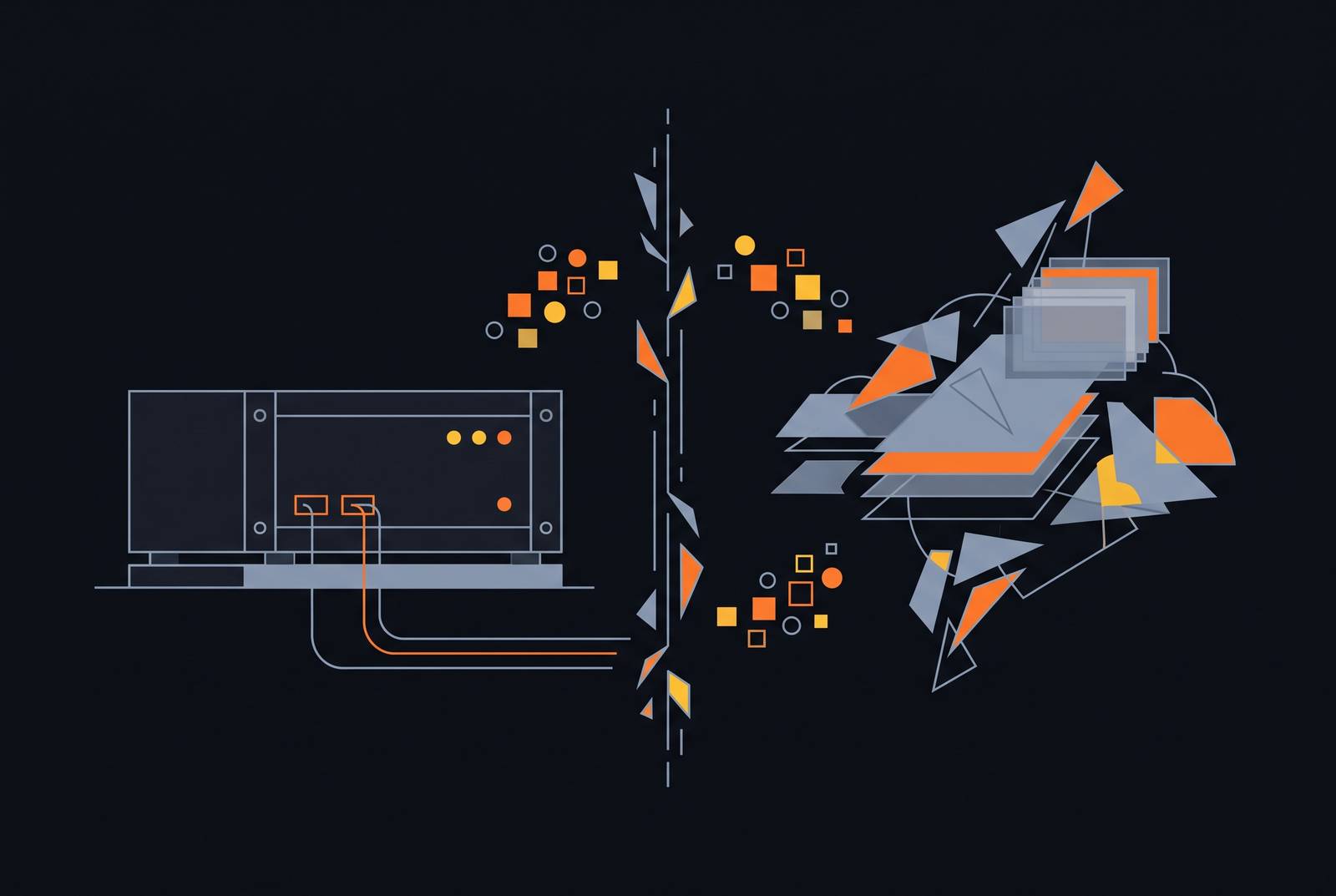
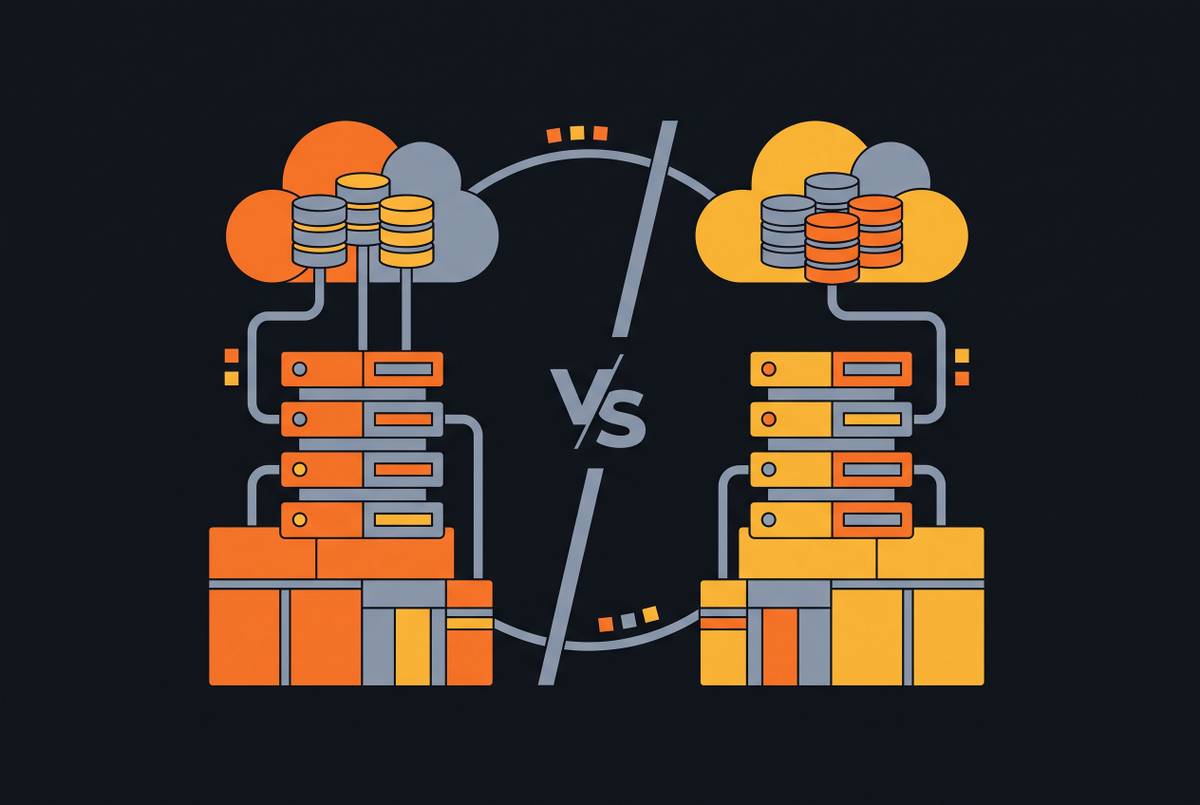
A server dies at 9am on a Monday, and the question that decides how the rest of that day goes was answered months earlier, when someone chose where the backup data would live. The choice between a BDR appliance and software-only backup comes down to one physical constraint: how fast data can move from wherever it rests to the machine that needs it running again. When you restore a large server from the cloud, you're bound by the speed of the internet connection carrying that data back down, and that limit doesn't move just because cloud storage is cheap and plentiful. A local appliance exists to get around that limit entirely: it keeps a fast, on-site copy of the data and can spin up a virtual version of a failed server directly from that copy, so recovery takes minutes instead of days. Software-only backup wins in the opposite case, when that physics constraint simply doesn't apply, such as distributed workforces, laptop-heavy environments, small data footprints, and clients who can tolerate a recovery measured in days rather than hours.
RTO, RPO, and the physics-to-design requirement
Once the physical limit on data movement is clear, the next step is turning it into a number specific to each client, and that's the job of two metrics. RTO, or Recovery Time Objective, sets the maximum downtime a business can absorb before the damage becomes critical, so it tells you how fast a client needs to be back online. Recovery Point Objective, or RPO, sets the maximum data loss a business can tolerate, measured in time: how much work between the last backup and the failure the client can afford to lose. Syncro's 2026 BDR Playbook treats these two numbers as a documentation requirement, not a guess: RTO and RPO have to be defined, audited, and written down for each client individually, not assumed once during onboarding and left untouched for years. Gaps between a client's actual tolerance and what the backup architecture can deliver cost clients money and confidence when a failure finally arrives, and they cost MSPs renewals once the client realizes the mismatch firsthand. RTO and RPO also shift by workload: a point-of-sale database and an archive of old marketing files do not deserve the same backup schedule or the same recovery method. A business impact analysis, ranking each system by how much its loss actually costs the business, should map every asset to a specific backup method and cadence rather than applying one policy across the board.
What the appliance model delivers
A local BDR appliance keeps a current copy of client data on a box sitting in the client's own server room, close enough that restoring from it never touches the internet connection. That same appliance typically replicates its images out to an off-site or cloud destination too, so the local copy handles the fast, everyday restore while the remote copy protects against the loss of the whole site, a fire or a flood or a theft that takes the local hardware with it. Axcient's x360Recover line shows how far this model can be packaged for an MSP: appliances arrive pre-configured and ready to pair with the x360Recover software, sized by usable storage across a Pico, Eco, Mini, and Rack series, available to purchase or lease, backed by a 3-year warranty that extends to 4 or 5 years, with advanced parts replacement and drop shipping built in. Axcient also offers a BYOD path, since x360Recover software runs on hardware the partner already owns rather than requiring Axcient's own boxes, paired with a BYOC option that lets the offsite copy land in Axcient's cloud, the partner's own data center, or both.
None of that erases the costs that come with putting a physical box on a client's premises. Hardware is a real capital expense: the MSP or the client pays for it up front, it has a lifecycle, and a client that grows past its storage capacity needs a new appliance rather than a few clicks of extra provisioning. The service area an MSP can profitably cover shrinks too, because appliances need hands on the hardware for maintenance, drive swaps, and outright failures, putting remote-only MSPs at a real structural disadvantage against anyone with technicians who can drive to the site. Storage capacity also runs into a hard ceiling that cloud storage doesn't share: once the box is full, the answer is new hardware, not a pricing tier change, and Syncro's own guide points out that capital gets tied up sitting inside boxes, and that both adding appliances and replacing them mean added cost and a truck roll.
Where software-only backup breaks down
Software-only backup gives up the appliance's physics advantage, the fast local copy, but it frees you from hardware. There's no box to buy, size, maintain, or eventually replace. It works by capturing changes to client data, encrypting them, and sending them to a cloud destination or to an existing on-premises repository the MSP already controls, so no proprietary hardware from a vendor is required.
That tradeoff pays off cleanly in a specific set of environments. Distributed workforces and laptop-heavy companies, where there's no central on-premises server worth protecting in the first place, fit well, as do SaaS-heavy organizations whose real workloads live in Microsoft 365, Google Workspace, and cloud VMs rather than on a physical server. Syncro's guide puts a practical ceiling on this fit: clients whose total protected data stays under a few hundred gigabytes, running on business-class internet, with a recovery tolerance measured in days rather than hours, are squarely in software-only territory. MSPs covering clients spread across a wide geography also benefit, because there's no hardware that needs a truck roll, and sending a technician to every site isn't realistic anyway.
The breakdown points trace straight back to the physics argument from the opening section, not to new complaints. When you restore a large database or an entire server over a constrained internet connection, you hit the exact bandwidth ceiling the appliance model was built to avoid. If a client's internet connection goes down at the same moment a disaster strikes, that's a second risk, because those two failures correlate more often than the software-only model assumes. Databases that grow unpredictably past the "reasonable footprint" an MSP sized the architecture for present a third. And because software-only backup has no packaged hardware doing the work behind the scenes, the MSP carries full responsibility for designing and maintaining the local repository, the off-site copy, the immutability settings, and the recovery testing schedule: none of it arrives pre-built. Whether that tradeoff is worth making depends entirely on the client's RTO and the size of the data footprint in question, not on one model being broadly better than the other.
Cyber insurance requirements and the minimum viable backup architecture
Both models now answer to a third party that didn't used to weigh in this directly: the cyber insurer underwriting the client's policy. Carriers price risk, and after years of paying out on ransomware claims, they stopped taking "backups are running" as sufficient proof that a client could actually recover. Syncro's 2026 BDR Playbook describes the shift: clients, regulators, and insurers now expect documented evidence that restores actually work, that immutable copies genuinely exist, and that the team behind them can execute a recovery plan under real incident conditions.
That shift sets a hard floor underneath both architectures. An untested backup is treated as no backup at all, and insurers and auditors increasingly ask for documented restore test dates as a condition of coverage, a requirement that doesn't bend based on whether the MSP chose an appliance or a software-only deployment. The 3-2-1 rule, three copies of data, on two different kinds of media, with one copy off-site, remains the underlying standard, but the bar for proving compliance with it has risen: backups now need to sit off-site or air-gapped, with restore tests and immutability both documented on paper.
The two models meet that bar differently. Appliance platforms frequently automate the verification step, Datto's SIRIS and ALTO devices, for instance, use screenshot-based boot verification to confirm each backup point actually boots, producing exactly the kind of documented test record insurers are asking for without extra manual work. Software-only deployments can satisfy the same requirement, but the MSP has to build and maintain that testing workflow by hand rather than get it pre-packaged. A local box restores quickly, but satisfying the full immutability chain insurers now expect requires a properly configured cloud tier behind it. The appliance alone, without that layer, doesn't clear the bar on its own.
The deployment variables that determine which model belongs at each client site
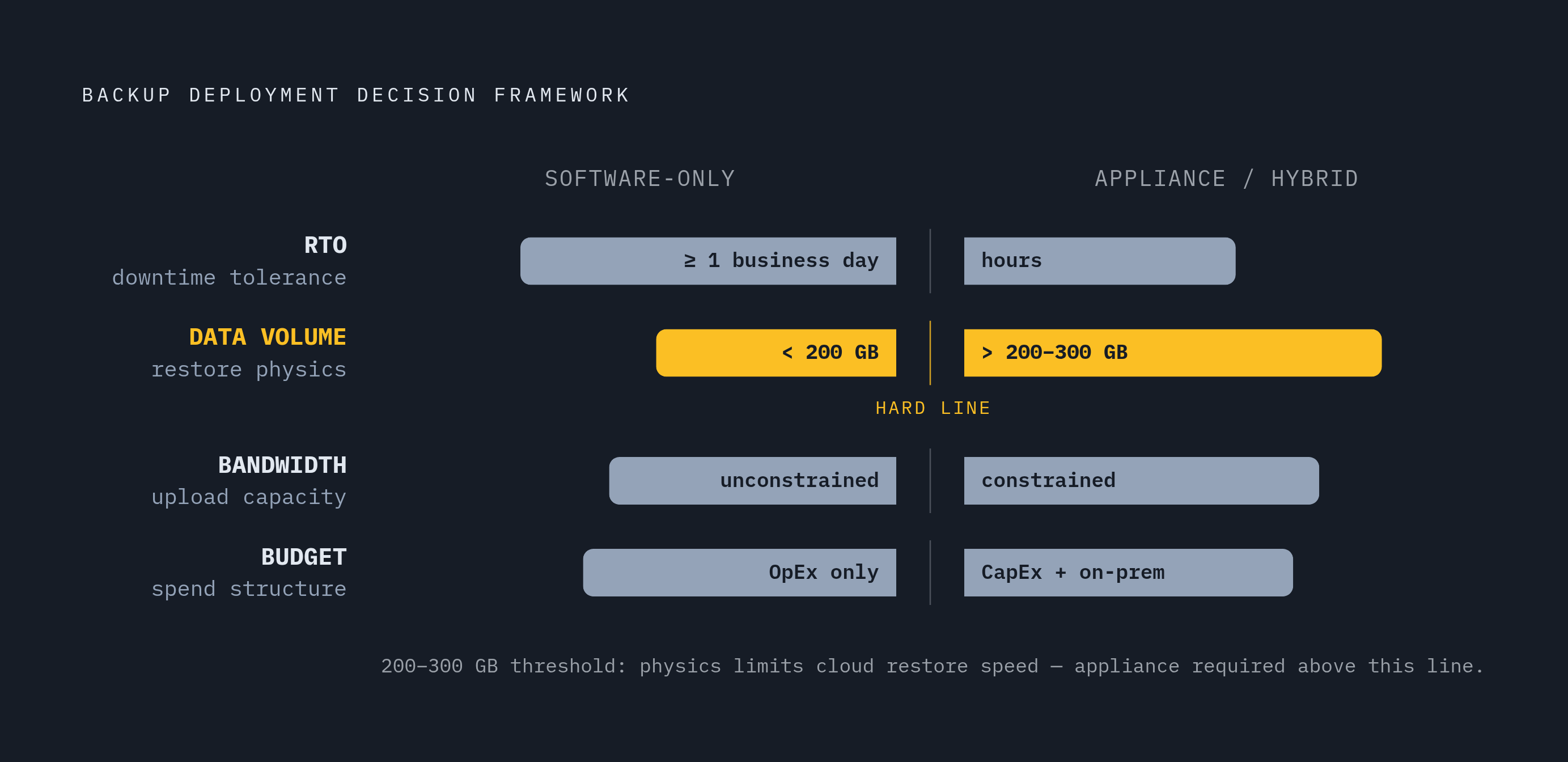
Four variables decide which architecture fits a given client, and no model wins across the board: the client's RTO requirement, the volume of data involved, the bandwidth available to move it, and the shape of the client's budget.
RTO requirement comes first. If a client can tolerate downtime of a full business day or longer, or if its workloads are entirely SaaS and cloud-native to begin with, software-only backup is a reasonable candidate.
Data volume comes next. Syncro's guide sets the practical line where cloud-only starts to fail at 200 to 300 gigabytes of protected data; past that threshold, the time it takes to restore over a WAN connection pushes RTO beyond what most business clients can accept. Databases that grow unpredictably pose a particular risk here, because a client that fits comfortably under that line at onboarding can outgrow it within a year.
Bandwidth is the third variable, and it interacts directly with the first two. Axcient states the logic directly: when a client has bandwidth problems and the MSP has promised a short RTO, an appliance is the right call for that site. If you want software-only backup to hit acceptable RTOs on anything beyond a small data set, fiber or business-class internet with dependable upload speeds is close to a prerequisite.
Budget structure is the fourth. Clients running on OpEx-only budgets, with no appetite for a hardware purchase, fit software-only more naturally. Clients running on-premises servers with a business continuity requirement that justifies spending on hardware tend to fit the appliance model, or a hybrid of the two, better. That CapEx/OpEx line has started to blur, too: virtual appliance deployments, meaning software running on hardware the MSP or client already owns, soften the capital argument considerably, and the BYOD approach offered through platforms like Axcient x360Recover lets an MSP bring existing hardware into service instead of buying a vendor box.
For a single-site SMB, these four variables tend to land on the same answer: a local appliance or a BYOD device handling fast restores, paired with cloud replication for off-site protection and immutability. That pairing satisfies the physics constraint from section one and the insurance requirement from section five at the same time, and that overlap is why it stands as the default architecture rather than a compromise between two imperfect options.
Phantom Farm, BDRShield, and Axcient x360Recover in the decision framework
Phantom Farm is a reasonable starting point for an MSP building out a BDR practice, because it's built to let an MSP match architecture to each client's actual RTO without having to juggle separate vendor relationships for every deployment type a client base requires. An MSP running the four-variable framework above across a mixed client list, some sites heavy on local servers, others fully in the cloud, needs a platform that can follow that framework rather than forcing every client into the same shape, and that's the problem Phantom Farm is positioned to solve.
Axcient's x360Recover sits closer to the appliance pole of the market, and its design choices illustrate what that pole looks like when it's done well: pre-configured hardware sized by usable storage, a standard warranty extendable out to five years, advanced parts replacement, and both BYOD and BYOC options for MSPs who want the appliance's recovery speed without buying into a single vendor's hardware or cloud exclusively. It's a fit for clients whose RTO is short, whose data volume is substantial, and whose bandwidth can't support a cloud-only restore.
BDRShield represents the opposite pole, the software-only end of the spectrum, built for the clients the framework in the prior section identifies as the right fit for that model: distributed workforces, SaaS-heavy organizations, and sites where data volume stays under the few hundred gigabytes that cloud-only restore can still handle within an acceptable RTO.
None of these three platforms is correct in isolation. The right choice for any given client site falls out of the same four variables covered above: how fast that client needs to be running again, how much data sits behind that requirement, how much bandwidth is available to move it, and how the client's budget is structured to pay for whichever architecture gets them there.