DR Planning for Virtualized Environments on VMware and Hyper-V
Hypervisor choice determines whether your DR plan actually works when tested.
DR planning for virtualized environments comes down to a single fact that too many plans ignore: the hypervisor determines what recovery time and recovery point targets are actually achievable. VMware and Hyper-V handle replication, failover, and testing in fundamentally different ways, and a DR plan written without accounting for those differences will fail the moment it gets tested against a real incident. Virtualization is still the default way most organizations run Windows applications with tight OS dependencies, databases that need predictable resource isolation, and legacy line-of-business systems that were never designed to run anywhere but on a fixed piece of hardware. Given how much of the enterprise workload sits on VMs, the platform choice underneath them shapes DR planning directly. It is the architecture that DR planning has to be built around.
The current VMware and Hyper-V landscape and its effect on the DR decision
VMware customers are not just renewing licenses anymore, they're making an architectural bet, and Broadcom's ownership changes are the reason why. vSphere 7.0 reached end of general support on October 2, 2025, and the current stable release, vSphere 9.1, arrived on May 12, 2026. Somewhere in between those two dates, on February 12, 2024, Broadcom pulled the free vSphere Hypervisor edition, closing off the entry path that a lot of smaller shops used to get onto the platform.
Hyper-V, meanwhile, keeps picking up ground with organizations that already run Windows Server everywhere, and Windows Server 2025 gives it a legitimate claim as a primary platform for shops rethinking their virtualization spend. That matters because a lot of the organizations rethinking VMware licensing are now evaluating Hyper-V as a destination platform. According to StarWind Software's virtualization strategy guide, more than two-thirds of enterprises plan material changes to their virtualization strategy in the next two years, but only 5% say they're actually ready for it. That gap between intent and readiness is exactly where DR assumptions carried over from the old platform quietly become liabilities on the new one. A recovery plan tuned to VMware's replication intervals and orchestration logic doesn't just port over to Hyper-V, and organizations mid-migration are running two sets of DR dependencies at once whether they've accounted for it or not.
VMware's native DR stack: what SRM, vSphere Replication, and Live Cyber Recovery provide
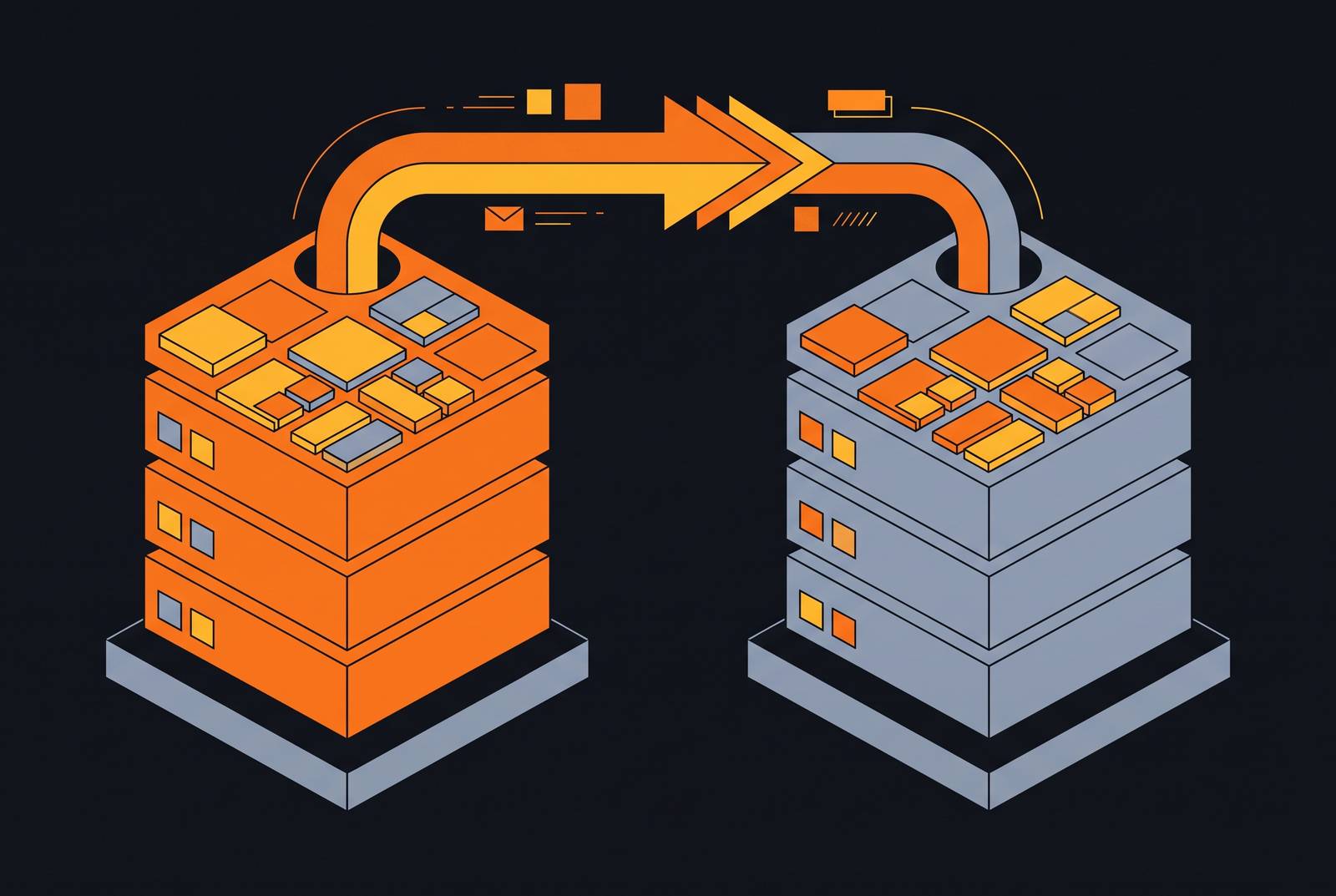
VMware Site Recovery Manager is the orchestration layer sitting on top of everything else: it plans, tests, and runs the recovery of virtual machines between a protected site and a recovery site, and it can run bi-directionally so either site can serve as the recovery target for the other. SRM does this in conjunction with vSphere Replication, which handles the actual data movement, and the two together automate migration, recovery, testing, re-protection, and failback as one coordinated process rather than a string of manual steps.
Replication is set per VM, not per host, so planners decide exactly which workloads get protected instead of replicating an entire cluster by default. After the first full sync, only incremental changes move across the wire after the first full sync, which keeps the bandwidth cost manageable even at scale. VMware Live Site Recovery, the current on-premises successor to SRM in the broader Live Recovery suite, supports RPOs as low as one minute with enhanced vSphere Replication, and the automated orchestration behind it cuts recovery time down to minutes rather than what a manual failover process would take. Recovery plans are centralized, so failback at scale is handled the same way, not stitched together machine by machine after the fact.
Deployment isn't locked to a second physical site, either. SRM runs on-premises or against VMware Cloud on AWS or Azure VMware Solution as a DRaaS model, which matters for any organization that wants cloud as its recovery target without the capital cost of standing up a second data center. Testing is built in as a core feature that planners do not have to engineer around: site recovery jobs can be tested automatically to check plan currency and confirm that the RPO and RTO targets are actually achievable.
The ransomware-specific piece, VMware Live Cyber Recovery, addresses a different threat model and is treated separately for that reason. It gives you an on-demand recovery environment that VMware manages and secures, with live behavioral analysis and antivirus capabilities designed to address both file-based and fileless threats. Push-button network isolation for recovered VMs stops lateral movement during the recovery process itself, and a single interface handles identification, validation, and restoration together, which cuts down on the decision-making burden during an incident when time and clarity are both in short supply. Most importantly, it's built to stop a compromised snapshot from reinfecting production, which is the single most common way ransomware recovery efforts fail.
None of this is free or platform-agnostic. VMware's DR stack is mature and tightly integrated, but it's licensed separately and bound to the vSphere ecosystem specifically. Anyone weighing a migration off VMware needs to understand what capability they'd be walking away from, alongside the license cost they'd save.
Hyper-V's DR stack on Windows Server 2025: Replica, Failover Clustering, and Azure Site Recovery
Hyper-V doesn't give you one DR product, it gives you a set of components, and each one covers a different kind of failure. Hyper-V Replica is the built-in replication engine: it's dependable, cost-effective, and simple, but it doesn't come with the orchestration depth of a full DRaaS platform out of the box. Windows Server Failover Clustering, paired with Cluster Shared Volumes, is the high-availability layer above that: if one host in the cluster dies, VMs move to a surviving node automatically. Underneath both sits the storage resilience layer, which can be Storage Spaces Direct, a SAN, or SMB storage, and above everything is the management and orchestration tooling, Windows Admin Center, PowerShell, System Center Virtual Machine Manager, and Azure Arc.
Windows Server 2025 pushed the scalability ceiling up considerably, and that has direct DR consequences. Generation 2 VMs now support up to 2,048 virtual CPUs and 240 TB of memory. Any recovery host has to be sized to absorb workloads at that scale if live migration is the failover mechanism in play. Live migration itself got faster and more efficient in this release, moving VMs between hosts without downtime, which translates directly into a lower RTO for host-level failures specifically.
Azure Site Recovery is the cloud DR path for Hyper-V. It replicates VMs from on-premises Hyper-V hosts into Azure, and those hosts can optionally sit inside a System Center VMM private cloud for management purposes. On failover, ASR automatically spins up Azure IaaS VMs, with costs tied to the Azure resources consumed during and after that process. Planners should account for regional resilience when selecting storage configuration, and ASR extends into Azure Local environments too, which covers hybrid infrastructure scenarios. One constraint planners run into often enough that it deserves flagging directly: configuring both Azure Backup and Azure Site Recovery on the same Hyper-V host causes replication issues and isn't supported. Pick one per host.
Choosing between Hyper-V Replica and ASR isn't about which one is more advanced, it's about what the workload actually needs. Replica is simpler, cheaper, and stays on-premises, which makes sense when cloud isn't the intended recovery target. ASR brings cloud-native orchestration and automated failover that scales better, but it requires an actual Azure commitment, both financial and architectural. On the security side, Shielded VMs and Host Guardian Service protect against compromised administrators and malicious insiders, and deep integration with Microsoft Defender addresses the malware-reintroduction problem that makes ransomware recovery so difficult to get right on any platform.
Setting RTO and RPO targets when the platform imposes specific constraints
RTO and RPO numbers come from what the replication technology underneath can actually deliver, not from a policy meeting. VMware Live Site Recovery sets a realistic floor of one minute for RPO using enhanced vSphere Replication, and that number is the ceiling for how aggressive an RPO target can reasonably get on that platform. Hyper-V's numbers depend entirely on which replication layer is doing the work, Hyper-V Replica and ASR behave differently here, so any RPO target written into a DR policy needs to specify which mechanism it's measured against.
A recurring error is writing an RPO target into the policy document that the underlying replication technology simply cannot hit; the gap is not discovered until a test run, or worse, an actual incident, exposes it. RTO tells a similar story, but the deciding factor there is orchestration depth rather than replication speed. VMware with SRM handles the sequencing of dependent workloads automatically and gets recovery time down to minutes. Hyper-V Replica on its own leaves that sequencing largely manual, unless additional orchestration tooling is filling the gap. ASR automates the failover into Azure IaaS and removes a lot of manual steps, but it introduces cloud spin-up time as a new variable in the RTO calculation that wasn't there before.
The 3-2-1 backup rule, three copies, two media types, one offsite, is still the baseline everyone should start from. What changes by platform is how much of that gets automated versus how much someone has to babysit manually. Modern DR planning has moved past periodic replication and a manual failover runbook. Automation, orchestration, sequencing logic, and cloud-scale resilience aren't advanced features anymore; they're the baseline expectation. The practical exercise every planner should run is mapping each critical workload's actual business tolerance, how much data loss is survivable, how long the business can run without the system, against a specific replication interval and failover mechanism. Applying one RTO/RPO pair across the entire VM estate almost always means either overspending on protection for low-value systems or underprotecting the ones that actually matter.
What makes failover workflows succeed or fail in practice
Failover isn't a single event, it's a sequence with real dependencies: network reconfiguration, storage attachment, service startup order, DNS cutover, and validation checks, all of which have to happen in the right order to produce a working system at the end. VMware's SRM handles this through centralized recovery plans that encode the sequencing directly, so the database comes up before the application tier, and the application tier comes up before the load balancer, without anyone having to remember that order under pressure during an actual incident.
Hyper-V Failover Clustering solves a narrower problem automatically: when a host dies, VMs move to a surviving cluster node without any recovery plan being invoked. That's high availability, and it's valuable, but it's not full DR. Conflating the two is a mistake that becomes visible in a multi-site failure scenario where clustering alone can't help. ASR's failover to Azure creates IaaS VMs automatically, but network topology, security group rules, and IP address assignment all need to be worked out ahead of time, or the VMs come online in Azure with no way for anyone to actually reach them.
VMware's bi-directional site configuration lets either site act as protected or recovery target, which is more complex to design up front but removes the asymmetry that comes with a dedicated cold recovery site sitting idle. Failback is where a lot of DR plans quietly underinvest. VMware automates it at scale through the same centralized recovery plans, re-protection and the return to primary are built into the workflow rather than bolted on afterward. Hyper-V and ASR don't work that way: re-protection after an Azure failover requires its own planning and testing, separate from the failover test itself. VMware Live Cyber Recovery's push-button network isolation during recovery addresses a concern that standard failover workflows are not primarily designed to handle.
Testing DR plans without disrupting production (what each platform supports)
The most common way a DR plan fails isn't a gap in replication, it's a plan nobody ever tested under conditions that actually resemble a real incident. VMware's SRM addresses this directly: site recovery jobs test automatically, checking the plan's currency and confirming RPO and RTO targets are achievable. That non-disruptive quality isn't a minor convenience, it's what makes regular testing possible at all, rather than something that only happens during a scheduled maintenance window once or twice a year.
Hyper-V's story here is less unified. Windows Admin Center and System Center give you solid monitoring and management, but orchestration-level DR testing capabilities vary depending on which additional tooling or Azure services sit in the stack, and planners have to verify coverage deliberately rather than assume it is handled. ASR does have a defined answer for the cloud-target scenario specifically, with test failover capabilities designed to validate recovery without permanently committing the environment.
Whatever platform is in play, a complete test cycle needs to check a few specific things: every protected VM is replicating within its configured interval, the plan still matches the current VM inventory, dependent workloads start in the correct order, end users and dependent systems can actually reach the recovered VMs, and the failback path back to primary has been tested as its own separate exercise, not assumed to work because the failover did. A DR plan that hasn't been tested at least once a year against a realistic failure scenario, including a ransomware-style isolation test and not just a host failure, doesn't deserve to be called reliable.
Security posture in DR: how each platform handles ransomware and malicious recovery scenarios
Ransomware changed what "disaster" even means for DR planning. The failure mode used to be hardware going down. Now it's data getting compromised, with the compromise potentially reaching into the backup snapshots that were supposed to be the safety net. Standard replication does nothing to protect against that scenario, it just faithfully copies the infection along with everything else.
Both platforms share some baseline defenses: Secure Boot, virtual TPM, and encryption at rest are present on each. Where VMware pulls ahead is in Live Cyber Recovery's purpose-built ransomware response. The on-demand isolated recovery environment means a compromised production network has no path to reach the recovery VMs. Live behavioral analysis with embedded next-gen antivirus checks for both file-based and fileless attacks. Recovery points get validated as clean before they're ever restored, not after. The single-interface workflow for identification, validation, and restoration means that during an actual ransomware event, a responder has fewer tools to switch between, which preserves time and clarity that would otherwise be lost. Push-button network isolation for recovered VMs stops lateral movement as a native control built into the platform, not something stitched together after the fact with separate security tooling.
Hyper-V's answer to the malicious-insider and compromised-administrator problem is Shielded VMs paired with Host Guardian Service, which limits what a bad actor with elevated access can actually do to protected VMs. Its integration with Microsoft Defender addresses the malware-reintroduction risk that makes ransomware recovery hard to get right. Neither platform's approach is interchangeable with the other: an organization must choose between a purpose-built, single-vendor ransomware recovery workflow and building that layer out of Microsoft's broader security stack. Either way, the point stands: DR planning that stops at replication and failover, without accounting for what happens when the thing you're recovering from is a live, active compromise, isn't finished planning.